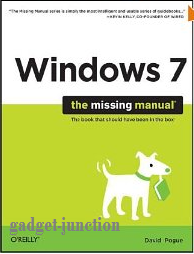
 Original manual for Windows 7.Product Description
Windows 7 fixes many of Vista's most painful shortcomings. It's speedier, has fewer intrusive and nagging screens, and is more compatible with peripherals. Plus, Windows 7 introduces a slew of new features, including better organization tools, easier WiFi connections and home networking setup, and even touchscreen computing for those lucky enough to own the latest hardware.
- Navigate the desktop, including the fast and powerful search function
- Take advantage of Window's apps and gadgets, and tap into 40 free programs
- Breeze the Web with Internet Explorer 8, and learn the email, chat, and videoconferencing programs
- Record TV and radio, display photos, play music, and record any of these to DVD using the Media Center
- Use your printer, fax, laptop, tablet PC, or smartphone with Windows 7
- Beef up your system and back up your files
- Collaborate and share documents and other files by setting up a workgroup network
The book is written in Pogue's clear, easy-to-read, and entertaining style. Through it all, he maintains his sense of humor. It covers most everyone from the most basic beginner to the the advanced super user, although the most sophisticated users won't need much from this book. But even for them, it includes some handy pointers and reference material.
It provides a complete Windows 7 manual, with everything from how to install (Appendix A), to Windows basics (using Windows, file management and search, and setting your desktop) to finding and installing programs, to connecting to and using the Internet, to advanced features like joining a domain and VPN. And it covers everything else in between.
New features like Libraries and Jump Lists are covered nicely. He even describes the Library problems where you can't add a network location to a Library without making that folder available off-line. He correctly points out that this copies that entire folder onto the local hard drive, so you probably don't want to do this.
I especially liked that when features were missing from a particular version of Windows 7, Pogue points that out. He also points out when a feature is available only on certain versions. For example, Aero is not available in Windows 7 Starter Edition, and he points that out when talking about Aero.
The book provides special help for people transitioning from XP and Vista. When he can, Pogue compares things to the way they used to be in XP and/or Vista. For example, he explains how the Start menu and taskbar have changed from both earlier versions.
He also offers handy sidebars with tips and other related information throughout the book. For example, in the section that teaches you about faxing, he has a sidebar on how to create your own fax cover page.
One of my favorite features of the book are the extraordinarily useful keyboard shortcuts. He provides shortcuts for every situation that has one. In addition, he provides a full keyboard reference in Appendix D.
This is truly the Missing Manual for Windows 7. It is not, however, a reference manual. It's designed to be read like a book. And it's a really good book.

